Check-in and the check-in sheet
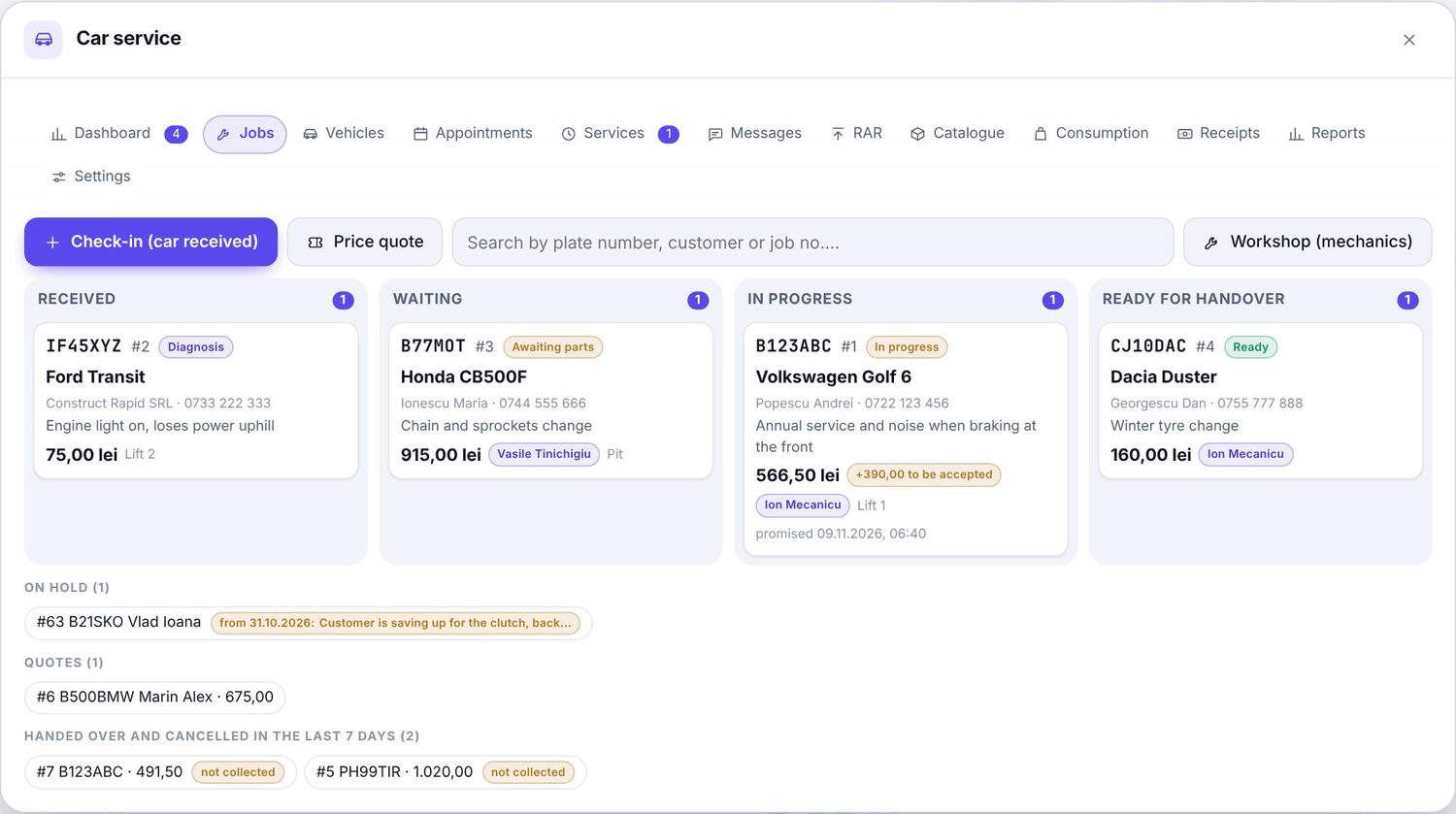
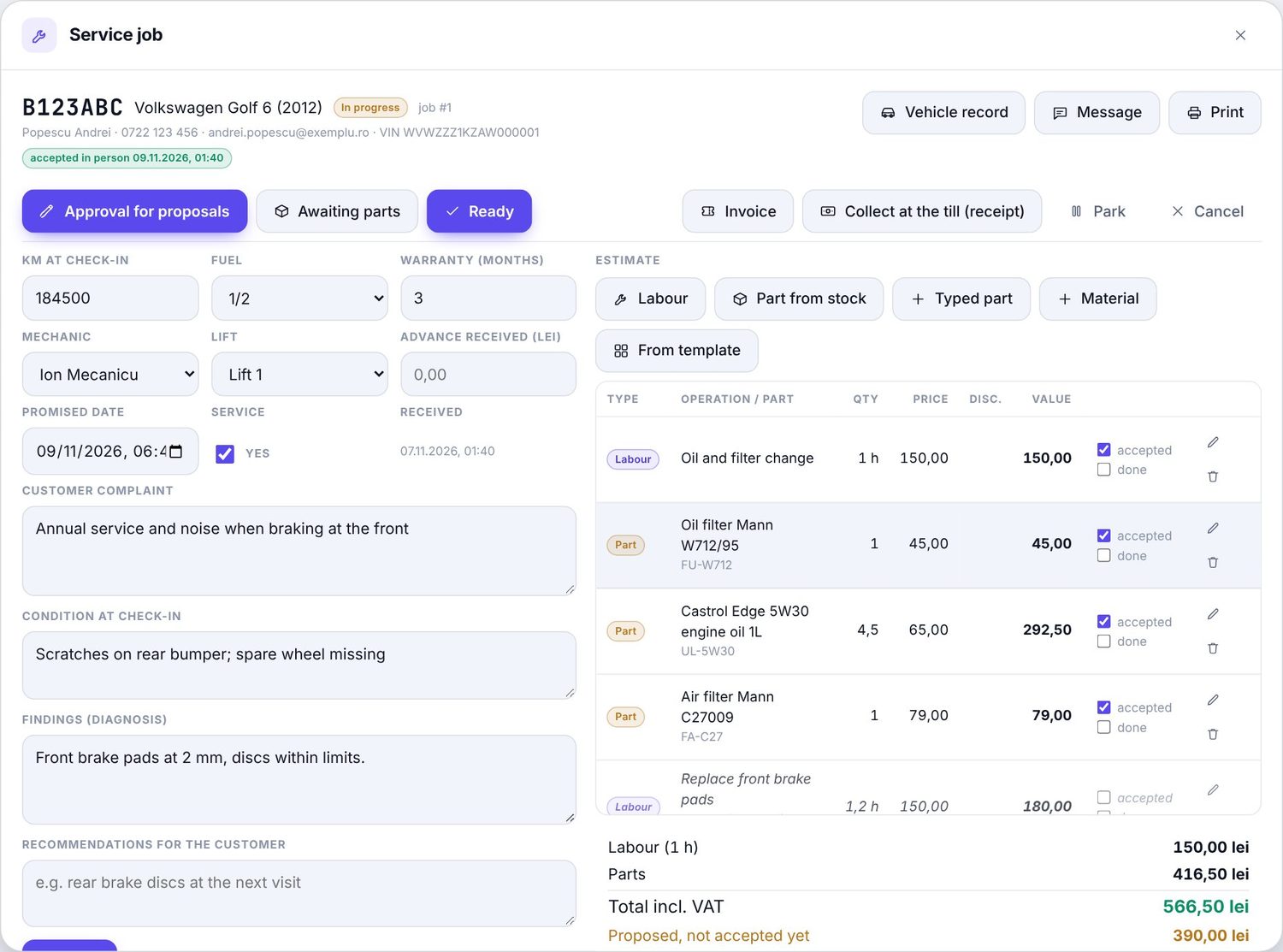
At check-in the car is looked up by plate number or VIN. If it is new, its record is created on the spot: make, model, engine, customer. You note the mileage, the fuel level, the customer's complaint and the condition on arrival (scratches, missing items), take photos, and the customer signs on the tablet.
The check-in sheet and the work order print on A4. That way there is no argument at handover about the state the car arrived in.
The estimate and the customer's approval
The estimate has labour (the catalogue's standard hours times the hourly rate), parts from stock or typed in, and materials, with discount and warranty on each line. A routine service goes in with one click, from its template.
The customer approves the estimate by signing on the tablet, by phone, on WhatsApp, by SMS or by email, and the program remembers how and when. Whatever the mechanic proposes along the way stays on the estimate, but only counts towards the total after the customer approves.
The workshop and the mechanics
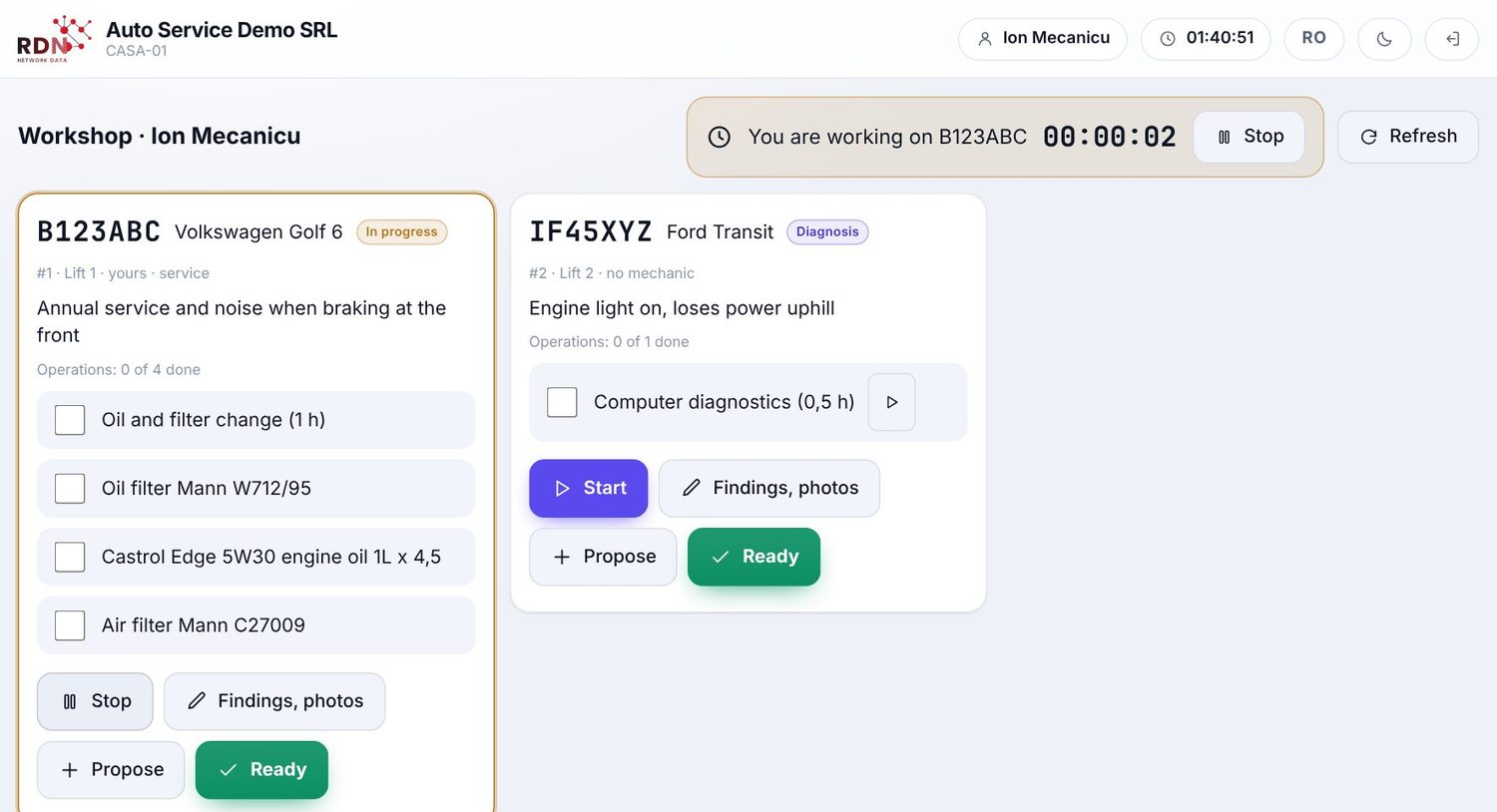
Mechanics work on a tablet with the Mechanic role: they see their jobs and the unassigned ones, start and stop the clock, tick off operations, write findings, take photos and propose extra work. They see no prices and cannot sell.
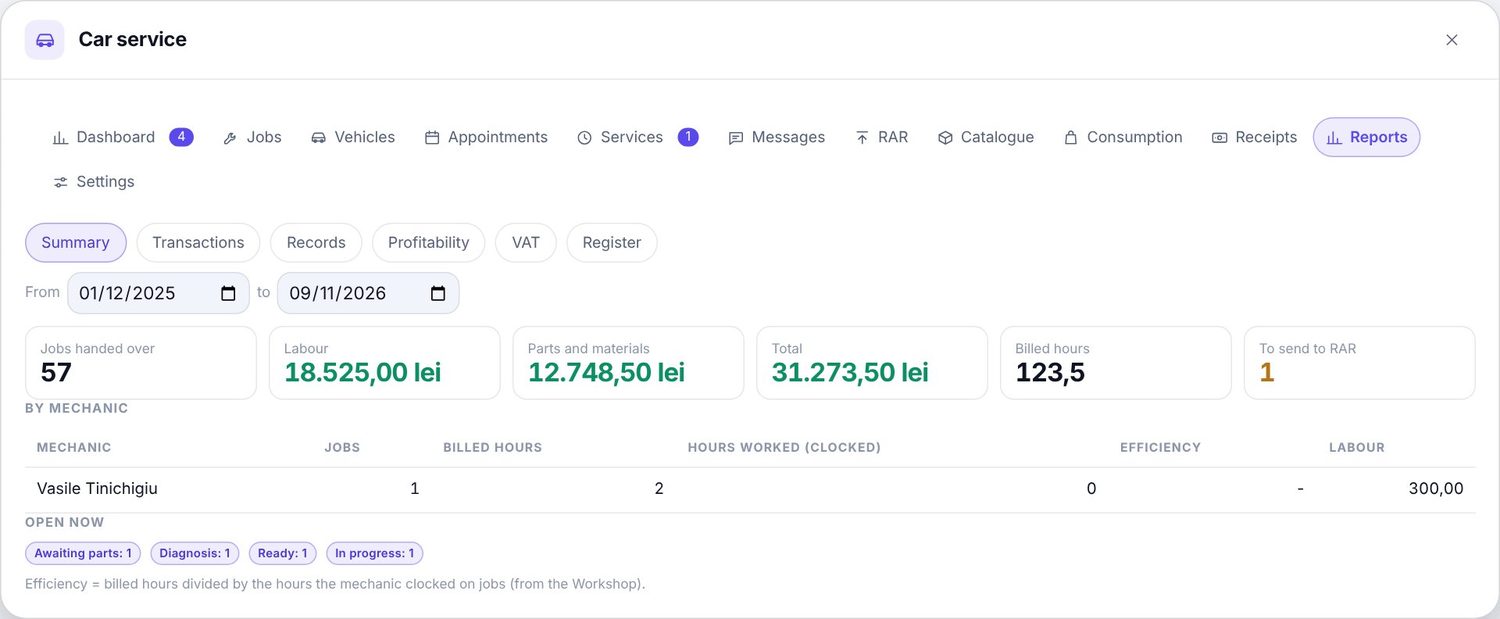
The time clocked in the workshop is compared with the billed hours, so you know each mechanic's efficiency. A job paused for a while (the customer is thinking it over, the part is late) is put on hold with its reason, and the mechanics' clock stops.
Parts, stock and suppliers
The catalogue holds the operations with standard hours, the service templates, the part names and the parts with their OE code, manufacturer and the cars they were fitted to. The parts needed for open jobs turn straight into a supplier order.
Parts come into stock with a goods receipt (NIR), including from invoices received in SPV, and leave by themselves on the invoice or receipt. Workshop materials leave with a consumption note, per job or for the workshop.
Invoice, fiscal receipt and payments
At handover you issue the invoice, with RO e-Factura sent to SPV, or take payment at the till, with a fiscal receipt on a Tremol or Datecs cash register. For companies that pay later, the program keeps the invoices to collect with their due date and days overdue, and part payments come off the balance.
Payments to suppliers are kept against the goods receipts, with each supplier's balance. Cash paid or received goes through the till drawer, so the shift counts out correctly.
RAR, services and messages
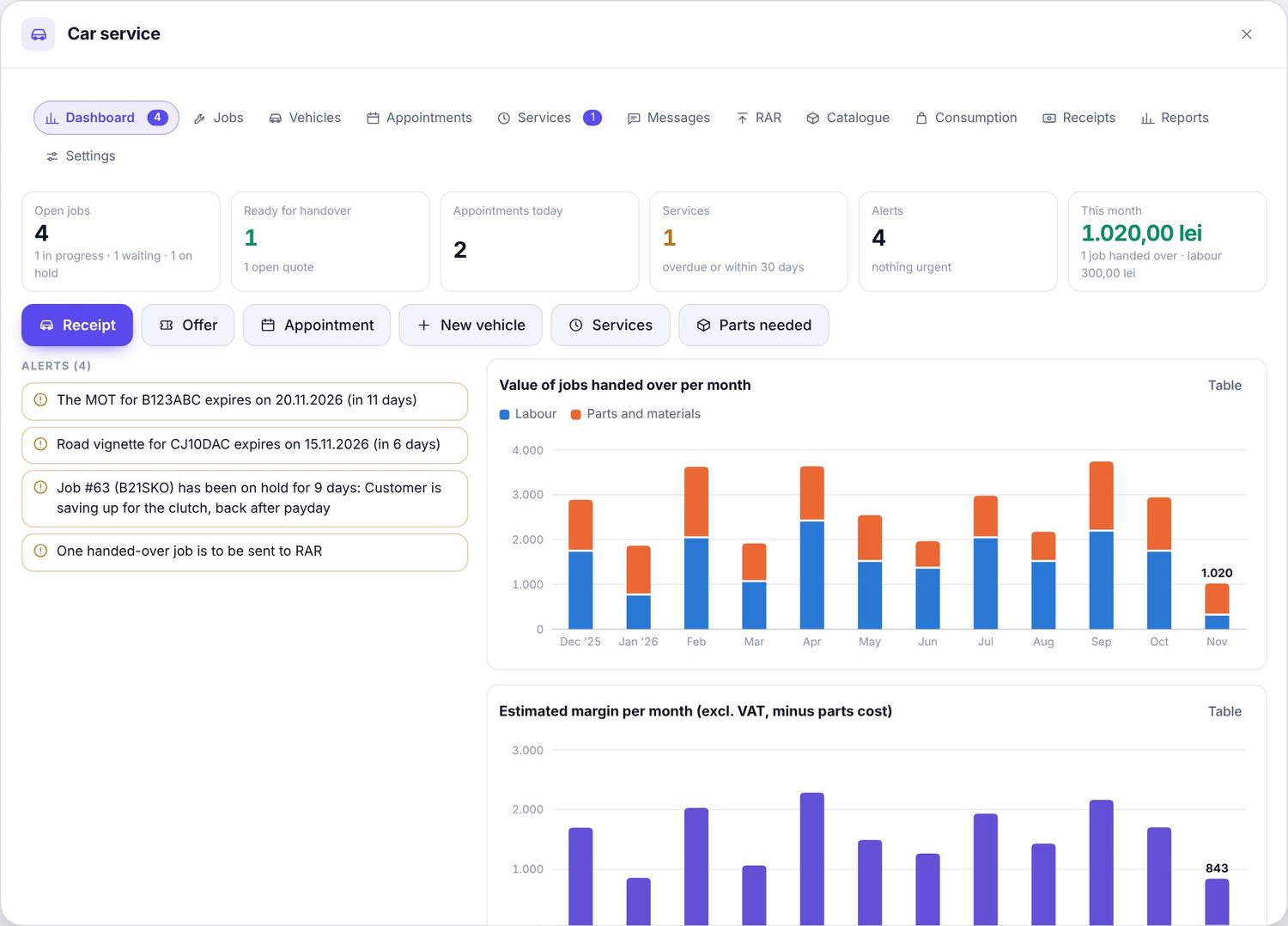
Handed-over jobs go into the job register, with the VIN, mileage, operations, parts, mechanic and warranty, ready to be entered on the RAR platform. On a service, the program works out the next one, by date or by the mileage estimated from how much the car is driven.
Reminders for services, MOT, insurance and appointments and the "your car is ready" message go out by SMS (SMSO, SMSLink or Twilio), on WhatsApp or by email, with the service's own wording.